


Service Level Agreement — Support and Maintenance
Service targets and processes for incidents, bugs and security vulnerabilities. This SLA applies to custom software deployed on customer-managed infrastructure; binding terms are set out in the SOW. Each section gives short statements and summary tables so procurement, CTOs and security stakeholders can assess it quickly.
 Ticket: the single tracking channel
 CET/CEST · 24×7 by plan
 S1 · first response ~20 min
 S1 · restore within 4 h
 Security incident notification within 48 h
 EN · RU · DE
Key facts
This SLA describes service targets for incidents, bugs and security vulnerabilities. Default coverage is business hours in CET/CEST; 24×7 on-call is available by support plan. For critical incidents, service restoration is prioritized before deep root-cause analysis (RCA).
first response to S1 during business hours
S1 restoration (when within our control)
availability target (aspiration 99.8%)
plans: Basic · Extended · Enterprise
Channel
Ticket: the single channel for SLA tracking
Requests from chats can be mirrored into tickets for tracking and reporting.
 Coverage
CET/CEST by default
Extended hours and 24×7 on-call by plan. A structural advantage for US customers.
 Approach
Restore first
For S1/S2, restoring minimal viable service comes before a full root-cause fix.
 Onboarding
Required for realistic targets
Precise SLA targets are not set without onboarding, especially for inherited systems.
 Languages
EN · RU · DE
EN/RU fully supported. DE available. Other languages by agreement. AI-assisted translation optional.
 Contract
Terms are in the SOW
Service credits, RPO/RTO, escalation matrix, security breach notification and QBR are set out in a contract appendix.
Scope of SLA: services in scope, exclusions, responsibility boundaries
This SLA covers custom software on customer-managed infrastructure. A shared responsibility model applies: code and deployment are our responsibility; infrastructure and third-party services are the customer's. When the root cause is outside our control, we provide diagnostics and coordination.
 In scope

Production incidents affecting availability or core business flows
Bug fixing for critical flows: checkout, payments, account access
Security vulnerabilities and security incidents (high priority)
Coordination with third-party providers (by plan)
 Exclusions

Data center and infrastructure outages not managed by our team
Third-party service outages (payment providers, APIs, email marketing platforms)
Subsystems not developed by our team (diagnosis only)
Cases where required access is not provided
Shared responsibility model
 Our responsibility
 Customer responsibility
 Application
 Infrastructure
 Third-party services
 Shared

When the root cause is outside our control, we identify the dependency-related failure, provide technical context and logs, act as a technical mediator with vendor support (if the plan includes it), document findings in the ticket and propose mitigations or workarounds on our side.
Definitions: ticket, incident, bug, change request, first response
A ticket is the base unit for SLA tracking. An incident is a production failure. A bug is incorrect behaviour of an existing function. A change request is planned work, not an incident. Urgent changes driven by external deadlines can be prioritised outside the regular queue.
First response · Mitigation · Resolution
Acknowledgement and work started
The ticket is acknowledged, the team confirms receipt and starts work. Escalation is triggered if other roles are needed.
Restore minimal service
Returning the service to a working state, even in degraded mode. The default approach for critical incidents.

Full root-cause fix
A complete fix addressing the root cause. For complex cases, it follows after service restoration.
Support hours, timezones, holidays, languages
Default coverage is business hours in CET/CEST. Extended coverage includes after-hours response, on-call engineer assignment with customer timezone overlap and deployment scheduling in customer-friendly windows. Holiday calendars are aligned with the delivery location and documented in the SOW.


Supported languages
 English — full support
Russian — full support
English — full support
Russian — full support
 German — available
Other — by agreement
AI-assisted translation — optional
German — available
Other — by agreement
AI-assisted translation — optional
Intake channels and required request data
The official SLA tracking channel is the ticketing system. A request should include a description, time window, location (page / route / API), business impact and, where possible, screenshots, logs and trace IDs. Without required access, support may be limited to repository-level changes.
 Required information in a request
What happened — short description
When — time window
Where — page / route / API / environment
Business impact — what is blocked, who is affected
Severity — customer's initial assessment (if possible)
Artifacts — screenshots, logs, trace IDs, error messages
 Access prerequisites and operational limits

Without production access, support is limited to repository-level changes

Infrastructure failures (CI/CD, runtime environment) cannot be resolved without access to the relevant layer

Access requirements are established during onboarding

Chats can be used, but requests must be mirrored into tickets for SLA tracking
Severity and priority model: S1–S4 mapped to P0–P4
A 4-level severity model S1–S4, compatible with enterprise priority labels P0–P4. S1/P0: full or partial service outage. S2/P1: significant degradation with workarounds available. S3–S4: limited impact, planned queue.
Service targets: response, restoration, communication
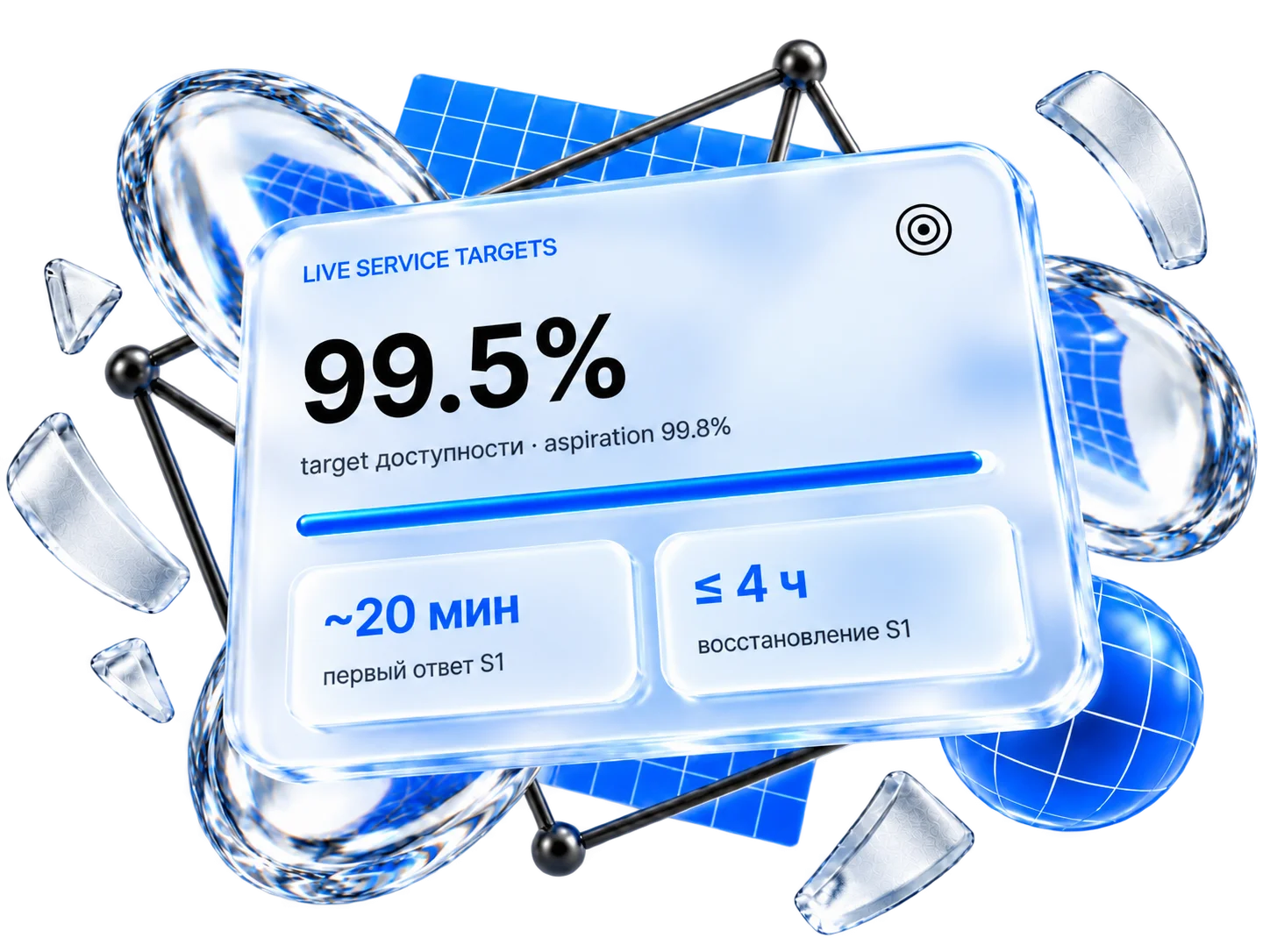
Final targets depend on the support plan and are documented in the SOW. Typical first response for S1 during business hours is ~20 minutes. The S1 restoration target is up to 4 hours (when the cause is within our control scope). Status updates range from every 30 minutes (Enterprise) to every 4 hours (Basic).
Restoration (mitigation) and resolution
Status update cadence by plan

Communication milestones
Acknowledged
acknowledged, work started

Diagnosis
failure area localized
Restored
mitigation applied
Resolved
full fix deployed

Recommendations
RCA and follow-ups

Blocked
missing access or customer input

If progress is blocked by missing access or missing customer input, work may be paused. Elapsed time includes waiting time unless otherwise agreed, because the incident cannot be resolved without required prerequisites.
Escalation model: roles, ladder, leadership involvement
3-tier escalation: on-call engineer → tech lead / project lead → CTO / architect. Escalation is triggered immediately when domain context or access is lacking. For Enterprise, time-based thresholds are documented in the SOW.
Escalation ladder
On-call / assigned engineer — first responder
Project lead / tech lead — domain owner
CTO / architect — complex or critical cases
CEO — financial losses, reputational risk
Time-based thresholds (S1, Enterprise)
When escalation happens
Immediately
Domain context is missing
The first responder lacks domain context or access (e.g., payments module, infrastructure layer).
During investigation
The investigation goes deeper
The incident leads into a subsystem without required access or expertise.
Executive
Direct losses / security
Financial losses, a reputational incident or a critical security incident requiring rapid containment.
Incident management · RCA · monitoring
For S1/S2, a restore-first approach applies: minimal viable service is restored before deep root-cause analysis. Mitigation toolbox: disabling a function, blocking a route, hotfix deployment. RCA follows stabilization in a concise format. Monitoring by plan: synthetic availability checks, certificate expiration monitoring, content-level checks, infrastructure metrics.
Mitigation toolbox
Disable or limit a function
Temporarily disabling a problematic component to prevent cascade failures.
Block a route or endpoint
Isolating an overloaded route to stop the load from spreading.
Emergency load reduction
Reducing infrastructure load while the application is being diagnosed.
Targeted hotfix
A narrow fix for a specific problem when the cause is clear.
Emergency rollback
Rolling back a recent change when a regression is suspected.
Degraded mode
Operating with limited functionality while full restoration continues.
Root cause analysis (RCA) / postmortem
Monitoring by plan
Security vulnerabilities and incidents
Security vulnerabilities and incidents are handled with high priority: containment, exposure window reduction, senior technical role involvement. For Enterprise, the confirmed incident notification timeline is up to 48 hours (down to 24 hours by separate agreement). Customers are notified about high-risk vulnerabilities even before exploitation is confirmed.
 Principle 1
Containment first
Rapid mitigation to close the exposure window before deep analysis.
Principle 2
Verification
Verification that the vulnerability is blocked or controlled.
Principle 3
Senior involvement
Involvement of senior technical roles when required.
Customer notification
Secure development practices

Certification. No formal SOC 2 / ISO 27001 certification is currently held; a roadmap toward certification is planned within 12–15 months. A security questionnaire describing applied controls is available on request.
Data, access, code quality and testing
Customer data is processed on the customer's infrastructure by default. Staging environments at Webdelo are used only for non-critical projects or when production data access is not provided (with mock data). Upon contract termination, access is revoked in a controlled manner. The automated test coverage target is not less than 90%, and 100% for critical business paths.
Data handling model
Code quality and test coverage

Unit and integration tests; test types and depth are agreed per project in the SOW.

Payments, customer data handling, core business logic and authentication are fully covered.

Static analysis in the CI/CD pipeline; SAST/DAST by SOW.

If the customer decides to reduce test coverage to optimize budget, the decision must be confirmed in writing (ticket, email or SOW amendment). The customer accepts the associated risks: increased probability of regressions, longer diagnostic times and higher cost of future changes; the decision and its potential impact are documented in the project risk register.
Change management: approval workflow, maintenance windows, rollback, emergency changes
Changes follow a structured approval process via tickets. For Enterprise, integration with the customer's change management process (sprints, approval boards) is available. Rollback plans are mandatory for critical changes. Emergency changes during full outages may be applied without prior approval; the customer is notified immediately after.

What constitutes a change
Code deployments (new features, bug fixes, refactoring)
Dependency and framework updates
Configuration changes (environment variables, routing, access rules)
Infrastructure changes within our management scope
Maintenance windows
Smaller projects: deployed during business hours without a formal window
Enterprise and critical systems: windows agreed in advance and documented in the SOW
Scheduling aligned with customer business hours (night or early morning windows)
Contacts authorized to approve changes are listed in the SOW
Support plans overview: Basic · Extended · Enterprise
Three plans with increasing coverage and commitments. Pricing is not published: cost depends on the technology stack, number of integrations, required engineer seniority, communication and reporting requirements and data handling restrictions. All terms are defined in the SOW.
 Enterprise
99.5% availability: where it applies
— for systems where we have full access to the application layer and deployment process, and the infrastructure is stable and under adequate control. It is not published as an unconditional guarantee: uptime depends on the hosting provider, third-party services, timeliness of customer-provided access and architectural maturity. Project-specific targets are documented in the SOW after assessment.
Why pricing is not published

Technology complexity
Go microservices, Laravel, Symfony, legacy systems, mixed environments.
Third parties
Payment systems, external APIs, data providers: each integration adds complexity.
Senior/lead vs. standard
Team composition depends on incident criticality and system complexity.

Cadence and channels
Update cadence, 24×7 availability and the number of channels directly affect cost.

Tooling and integrations
Jira, ServiceNow, dashboard access, custom reporting.
Depth of practices
Security audits, penetration testing, restrictions on AI tools and data handling.
Enterprise conditions and contractual appendices (SOW)
The Enterprise plan includes contractual commitments across 6 areas: service credits, escalation matrix, status update cadence, RPO/RTO, security breach notification and quarterly service reviews (QBR). All conditions are documented in the SOW and can be customized with service fee recalculation.

Service credits
Work on an S1 incident is not commenced within the agreed first response target
from 2% of the monthly support fee per incident
no more than 30% of the monthly support fee per billing period
Service credit (discount) applied to the next billing period
First response / work commencement only, not full resolution time
Percentages, caps and metrics can be adjusted; the service fee is recalculated

Disaster recovery: RPO / RTO and backups
Determined per system after an audit
Databases, file storage, caches, queues, etc.
full / incremental / differential
Retention period defined in the SOW
MySQL + Redis + MongoDB and other combinations
Recommended: not less than once per month for production systems
Disaster recovery testing
 Frequency
Monthly (recommended)
For critical systems: bi-weekly or weekly if the customer is prepared to allocate budget.
 Scope
Scope
File system + all databases
The file system and all databases (relational, NoSQL, caches, queues).
 Test markers
Markers in the data
Marker records are prepared in advance to verify recovery of both older data and recent changes.
Service review · QBR
Ticket report, top incidents, stability risks
Action plan, monitoring improvements, stabilization/refactoring recommendations
Same, plus in-depth trend analysis
Extended recommendations
Onboarding · legacy systems · continuity
Onboarding is mandatory for reliable service targets: access setup, architecture and dependency review, identification of critical business flows, incident history analysis, monitoring agreement. For legacy systems the phase is longer, and we cannot provide the same level of guarantees as for systems we have built ourselves. Continuity is ensured through documentation, runbooks and reduced key-person dependency.
Onboarding · duration ranges
Onboarding a new team member
Legacy systems: key principles
No blocking factor
Legacy code is not a reason to decline a project.
Honest expectations
We cannot provide the same level of guarantees as for systems we have built ourselves.
Onboarding is critical
Architecture discovery, dependency mapping, risk assessment.
Gradual improvement
Stabilization first, then targeted refactoring as a planned work stream.
Budget for discovery
The initial assessment determines realistic SLA targets.
Tests + documentation
The fastest way to a higher service level.
Continuity and knowledge management
FAQ: quick answers for procurement and engineering review
Key answers: official channel — ticketing system, coverage — CET/CEST with 24×7 option, severity model S1–S4 (P0–P4), first response ~20 minutes (critical), S1 restore target up to 4 hours (when in our control scope), availability target 99.5% (SOW), service credits for Enterprise (SOW), escalation thresholds at 4/8/12h, status updates from every 30 minutes (Enterprise S1) to every 2 hours (Extended S1), change management with rollback plans, data handling on customer infrastructure, no formal certification (roadmap 12–15 months), AI-assisted support optional, English/Russian/German, pricing defined in SOW.
What is the official support channel?
Which timezone do you operate in?
Do you offer 24×7 support?
What is the difference between first response and restore?
Do you pause SLA time if customer does not provide access?
How do you classify incident severity?
Do you provide RCA / postmortem?
How do you handle security vulnerabilities?
Do you monitor services proactively?
Can you help with third-party outages (payments, email providers)?
Are service credits available for SLA breaches?
How does escalation work for prolonged incidents?
How often are status updates provided during an incident?
Do you provide RPO/RTO?
What is the security breach notification timeline?
Are regular service reviews conducted?
Do you provide an uptime / availability guarantee?
What is the service restoration target for critical incidents?
How do you handle change management?
How do you handle data and access security?
Do you hold security certifications (SOC 2, ISO 27001)?
Do you use AI in support operations?
What languages do you support?
What happens when the contract ends?
What are your code quality and test coverage standards?
Do you work with legacy / inherited systems?
How long does it take to onboard a new team member?
How often do you test disaster recovery?
Why are prices not listed on this page?
Legal Notice / SLA Disclaimer
This document describes service targets and processes and does not constitute a guarantee within the meaning of Sections 443 and 633 of the German Civil Code (BGB). Binding service obligations, liability, warranty obligations and service credits arise exclusively from the individually executed agreement / SOW.
